

Booking Management System
Smart Scheduling for Modern Education
The Teacher Studio Booking Management System is a dedicated web-based platform designed to simplify and organize the process of booking recording studios for teachers producing educational content for e-learning platforms. When an educational organization has multiple teachers, studios, recording schedules, and classes to coordinate, managing bookings manually can quickly become complicated. This system provides a centralized platform where teachers can request and manage studio bookings while administrators maintain complete control over schedules, working hours, studios, users, and booking activity.
The platform is designed to provide a structured workflow from the moment a teacher submits a booking request through its approval, modification, scheduling, and completion.
Designed for E-Learning Production
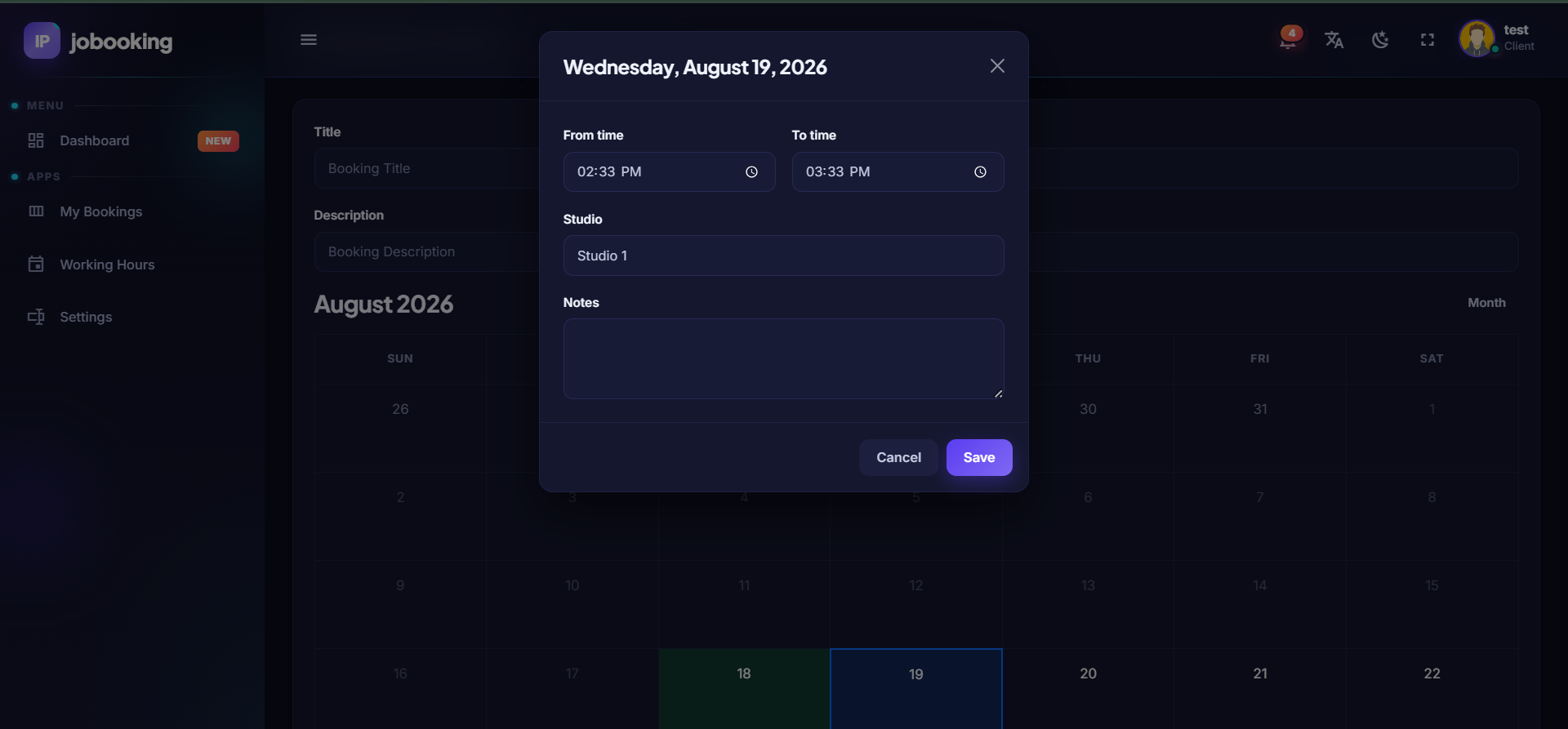
The system is specifically suited for organizations that produce educational video content and require teachers to reserve dedicated studio time for recording their lessons. Instead of relying on spreadsheets, emails, messaging applications, or manual scheduling, teachers and administrators can manage the entire booking process through a centralized system. Teachers can view their booking activity and submit new requests according to their available working hours, while administrators can manage studio availability and oversee all booking operations from a dedicated administration panel.
Teacher Panel
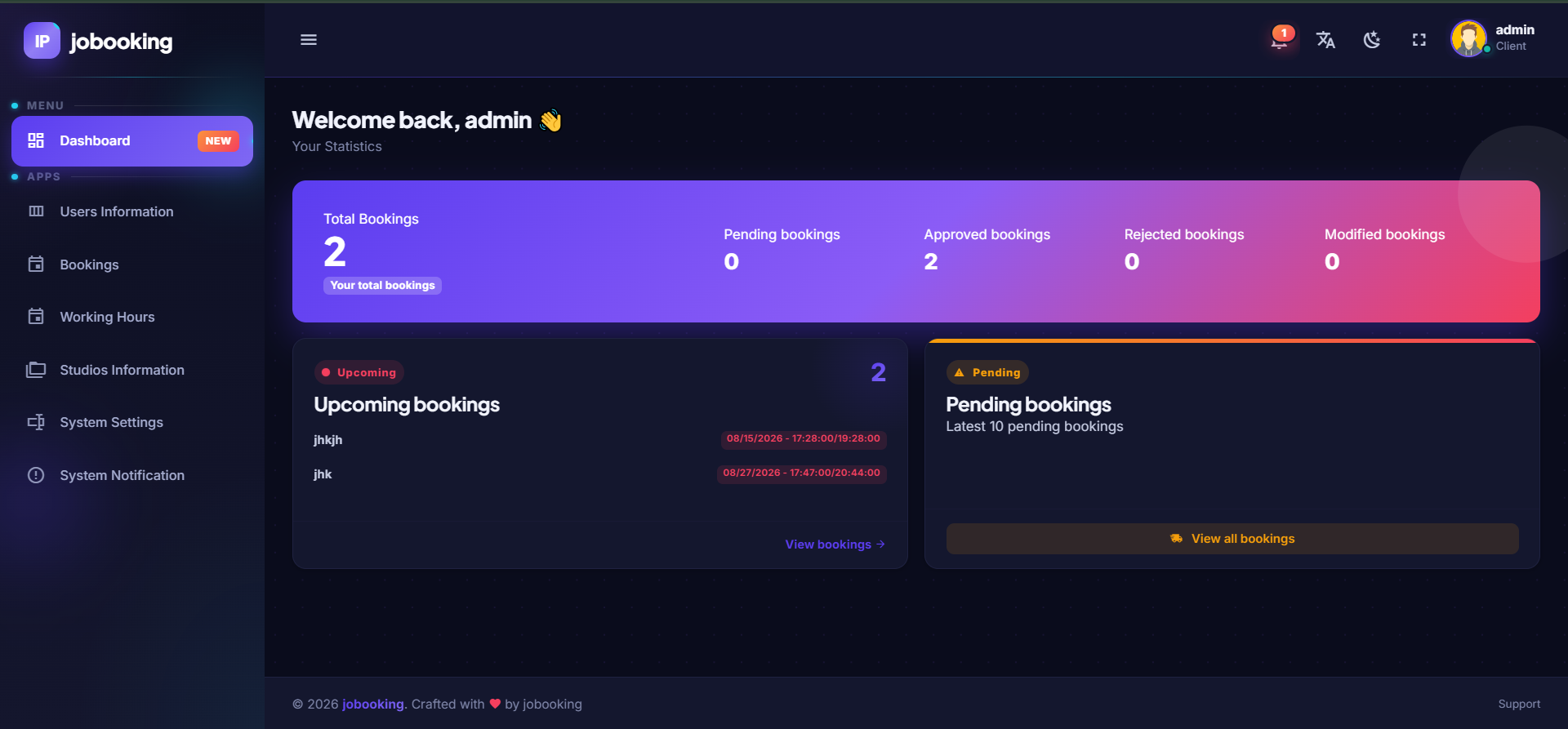
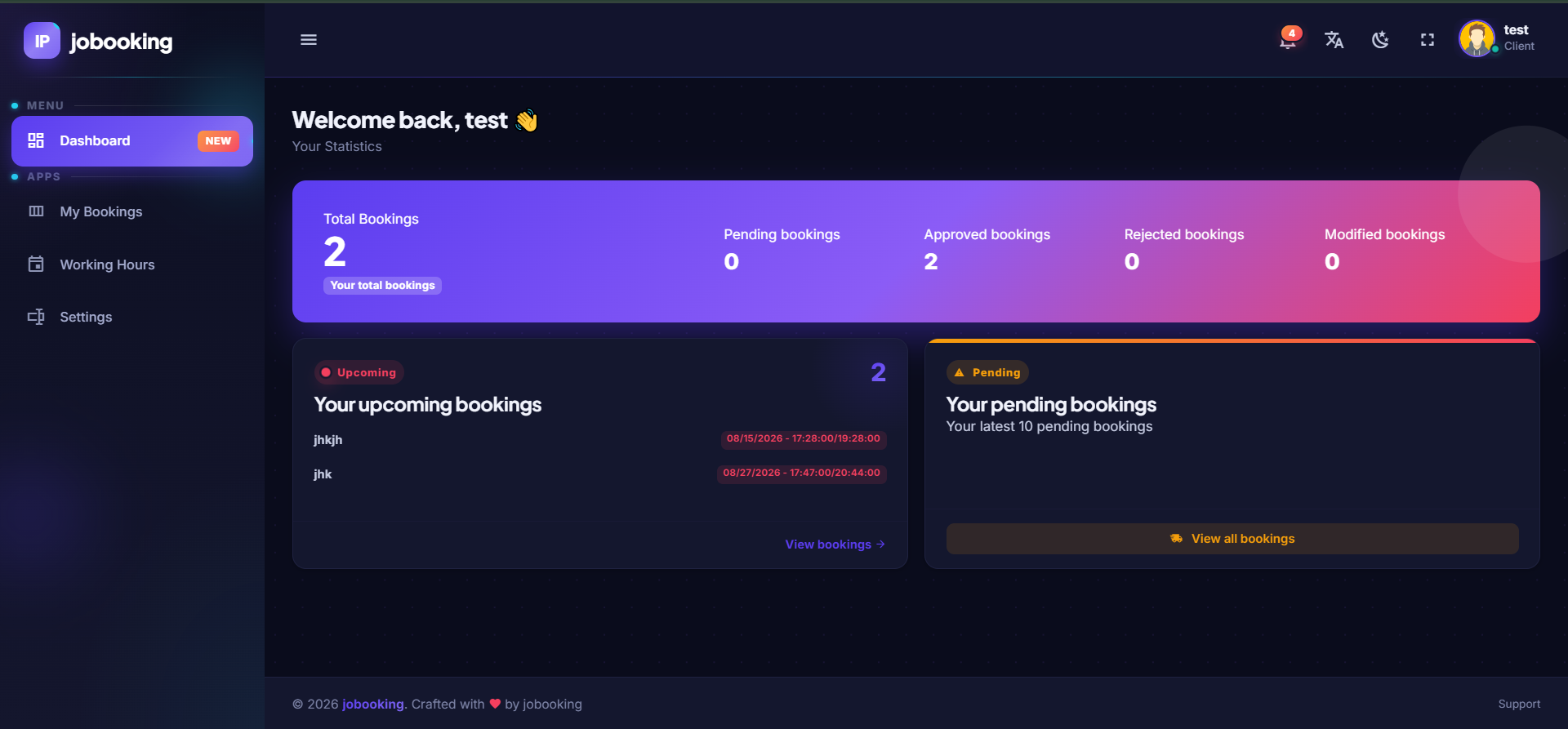
The teacher panel provides each teacher with a dedicated environment where they can monitor their bookings and manage their availability. The dashboard gives teachers an immediate overview of their current booking status, including:
- Total Bookings — Overview of all bookings created by the teacher.
- Pending Bookings — Requests that are currently waiting for approval.
- Approved Bookings — Bookings that have been approved and scheduled.
- Rejected Bookings — Requests that have been rejected by the administrator.
- Modified Bookings — Bookings that have been modified during the scheduling process.
- Upcoming Bookings — Quick access to the teacher's upcoming studio sessions.
- Latest Pending Bookings — A summary of the teacher's most recent pending requests.
The teacher dashboard provides a clear overview of the current booking situation without requiring the user to search through individual records.
My Bookings
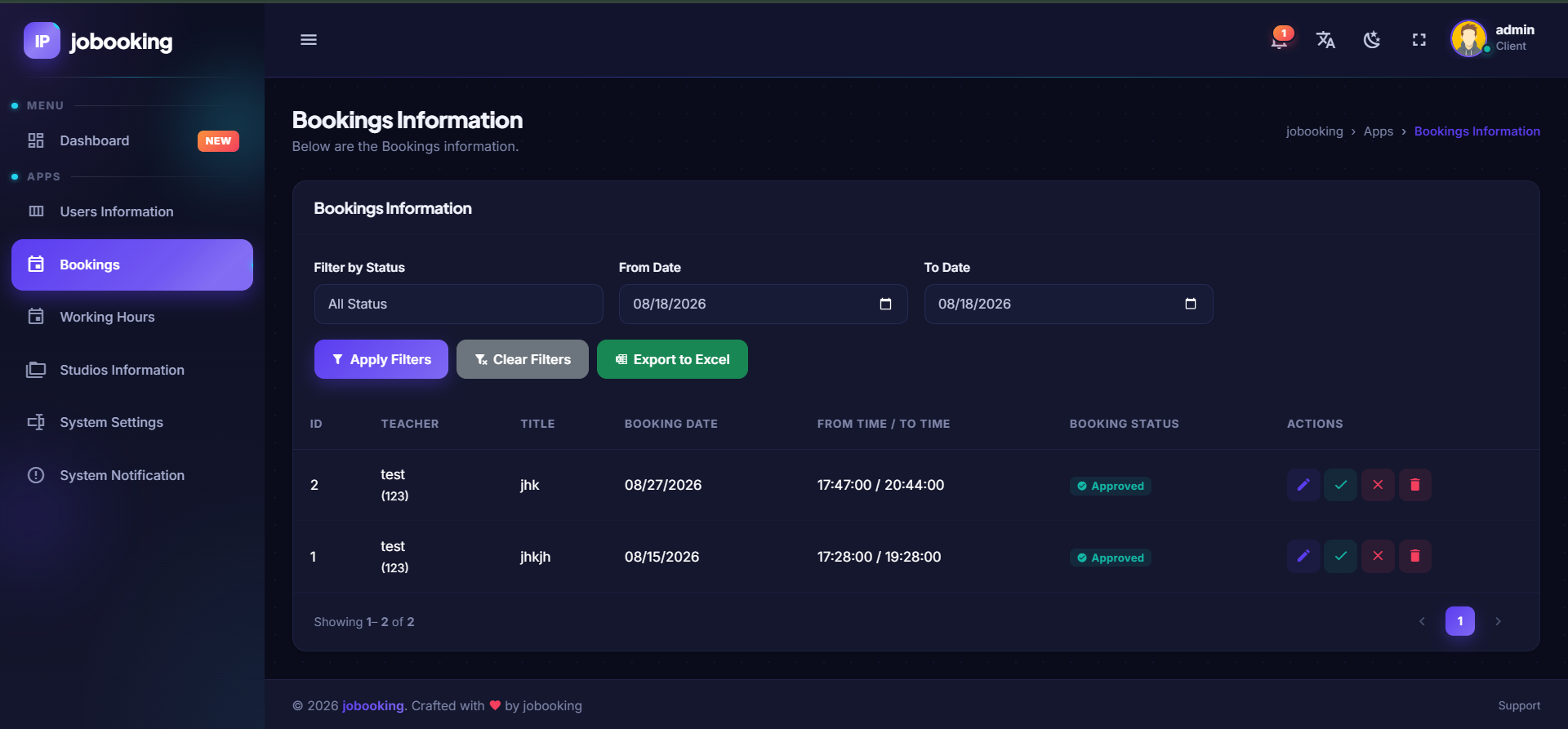
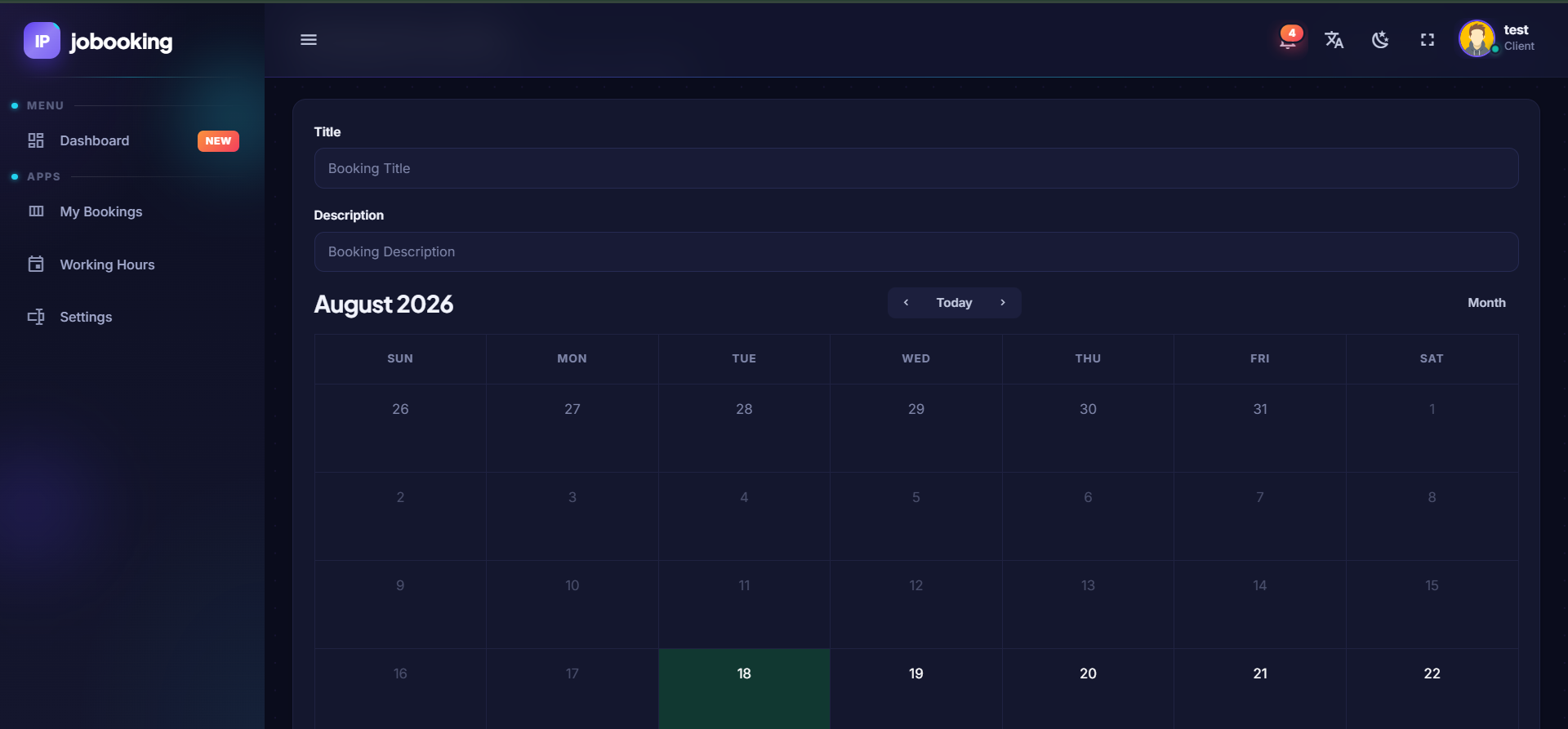
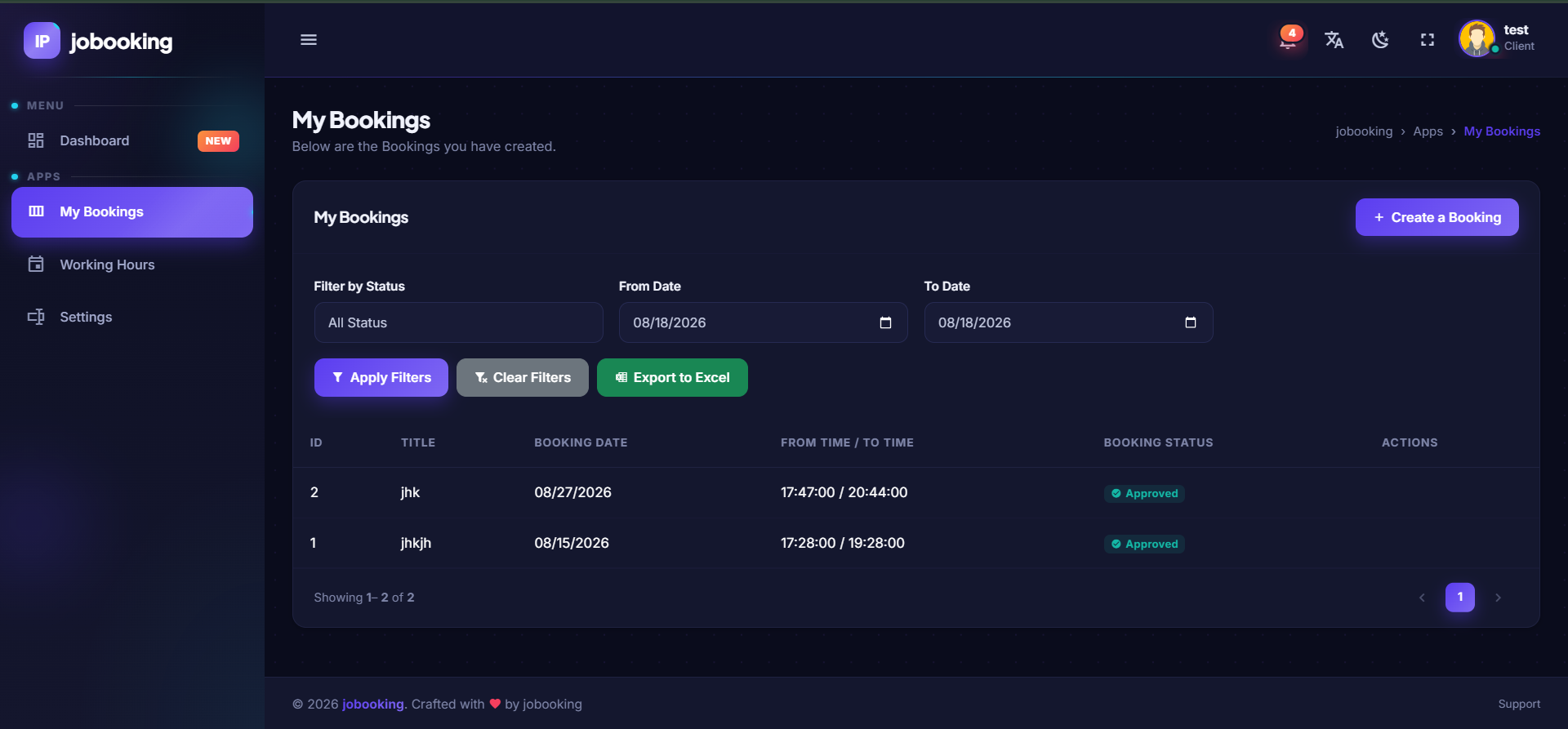
The My Bookings section allows teachers to view and manage their booking history in one centralized location. Teachers can review their submitted requests and monitor the status of each booking, making it easy to determine which sessions are pending, approved, rejected, or modified. This creates a transparent booking process and keeps teachers informed about the status of their studio reservations.
Working Hours
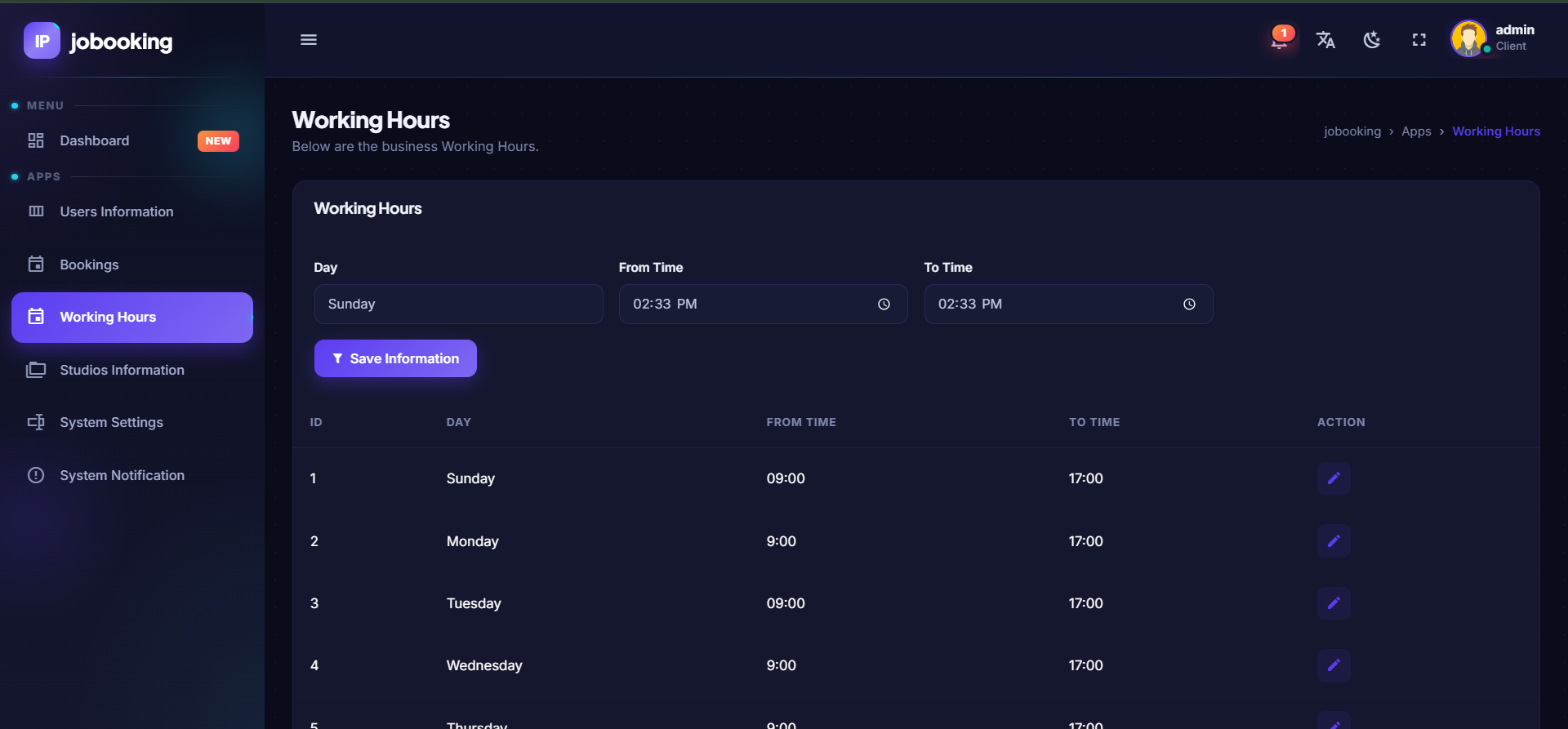
Teachers can manage their working hours through the platform, allowing the booking system to take their availability into consideration when scheduling recording sessions. This helps reduce scheduling conflicts and provides administrators with a clearer understanding of when each teacher is available for studio recording.
Teacher Settings
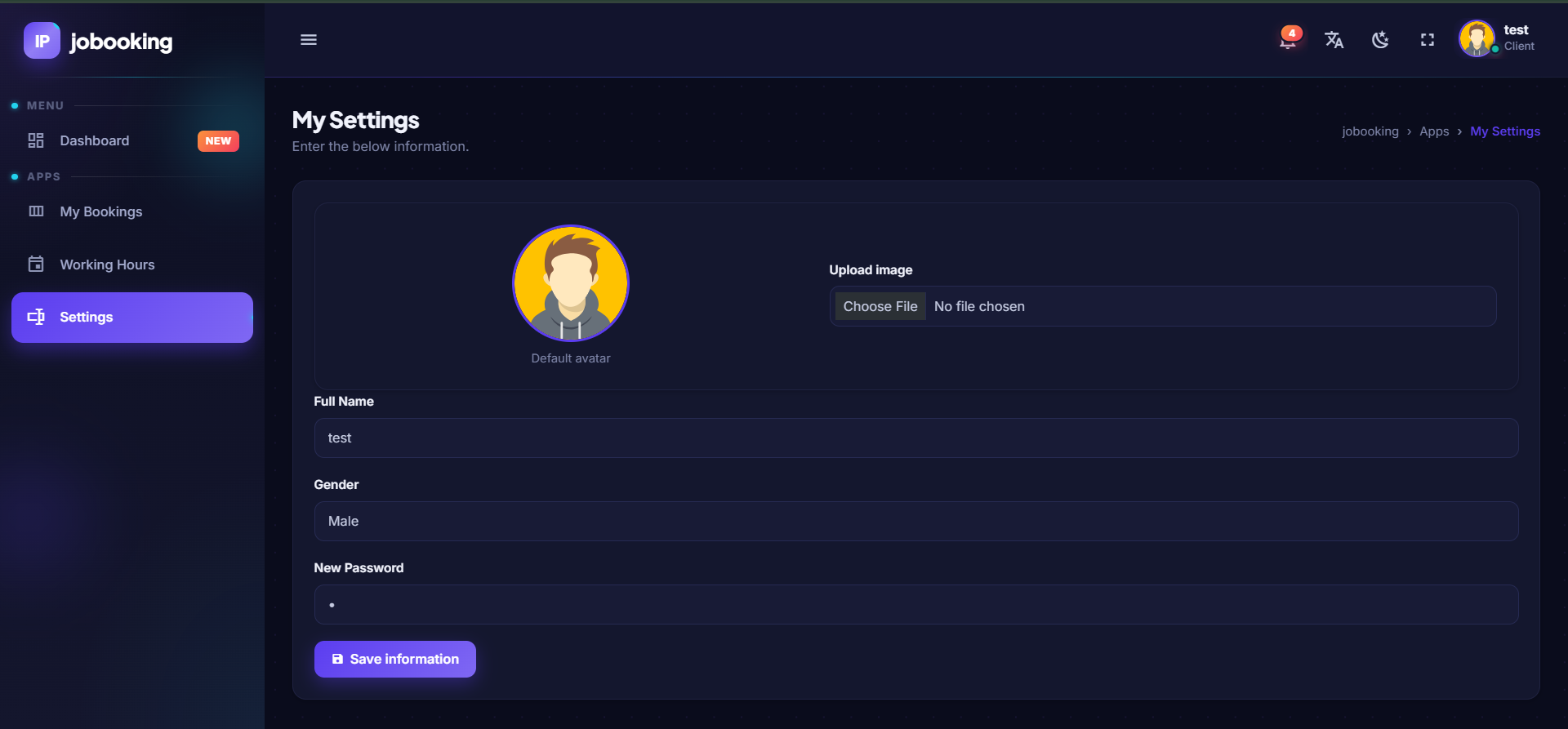
The Settings section allows teachers to manage their account and relevant personal configuration within the platform. By keeping these options centralized, teachers can maintain their information without requiring administrative intervention for every basic account adjustment.
Administration Panel
The administration panel provides administrators with centralized control over the entire studio booking environment. Administrators can monitor booking activity, manage teachers, configure studios, define working hours, and control system-wide settings from a single interface. The administrator dashboard provides an overview of total, pending, approved, rejected, modified, and upcoming bookings, giving administrators an immediate view of the current state of the booking system and helping them identify pending requests that require attention.
Booking Management
The Bookings section provides administrators with centralized control over all studio booking requests. Administrators can review booking information, process requests, approve or reject bookings, and make modifications when scheduling requirements change. Instead of communicating booking changes through separate channels, all relevant booking information can be maintained within the system.
Users Information
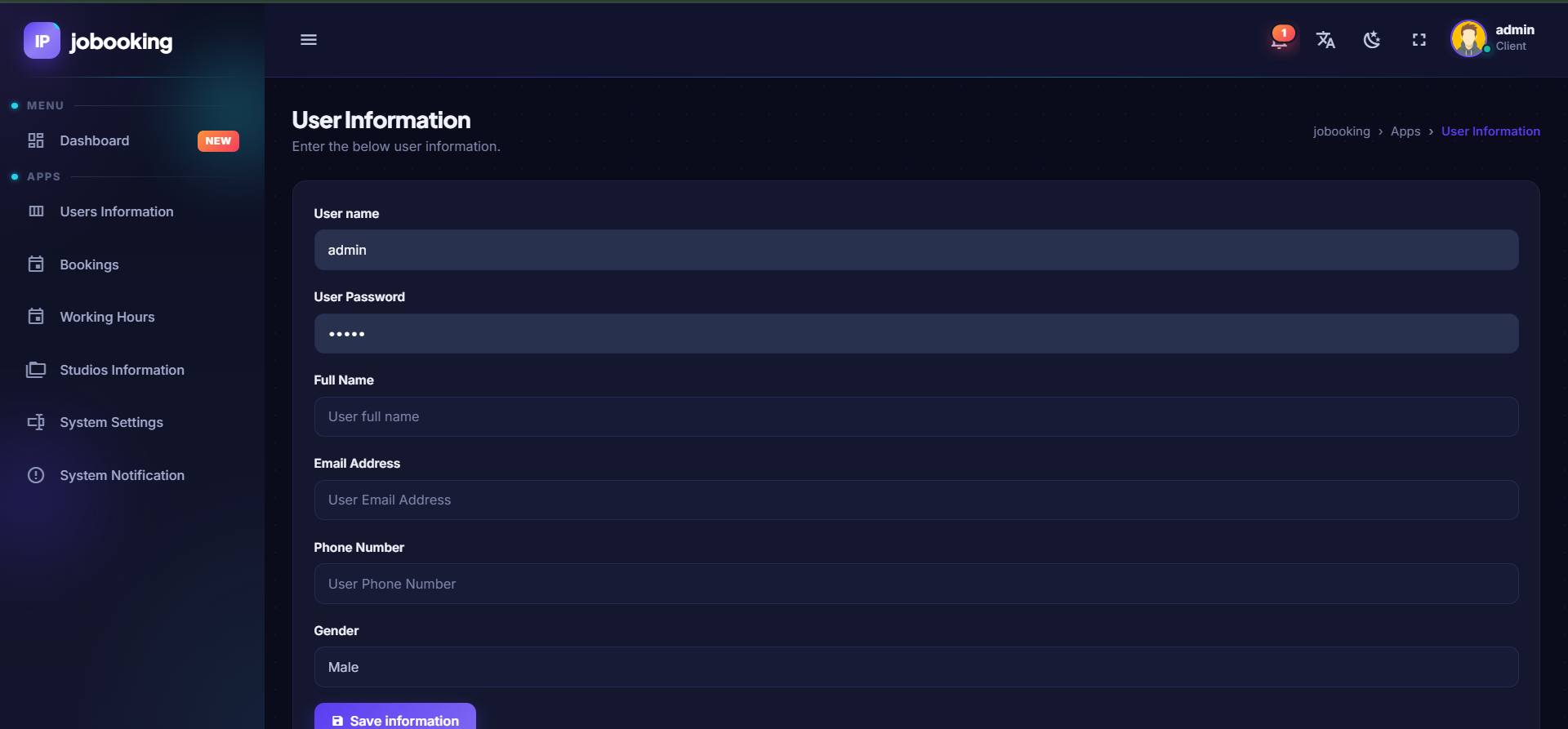
The Users Information section provides administrators with centralized management of the teachers and other users registered within the platform. This allows the organization to maintain user information and manage access to the system according to its operational requirements.
Studios Information
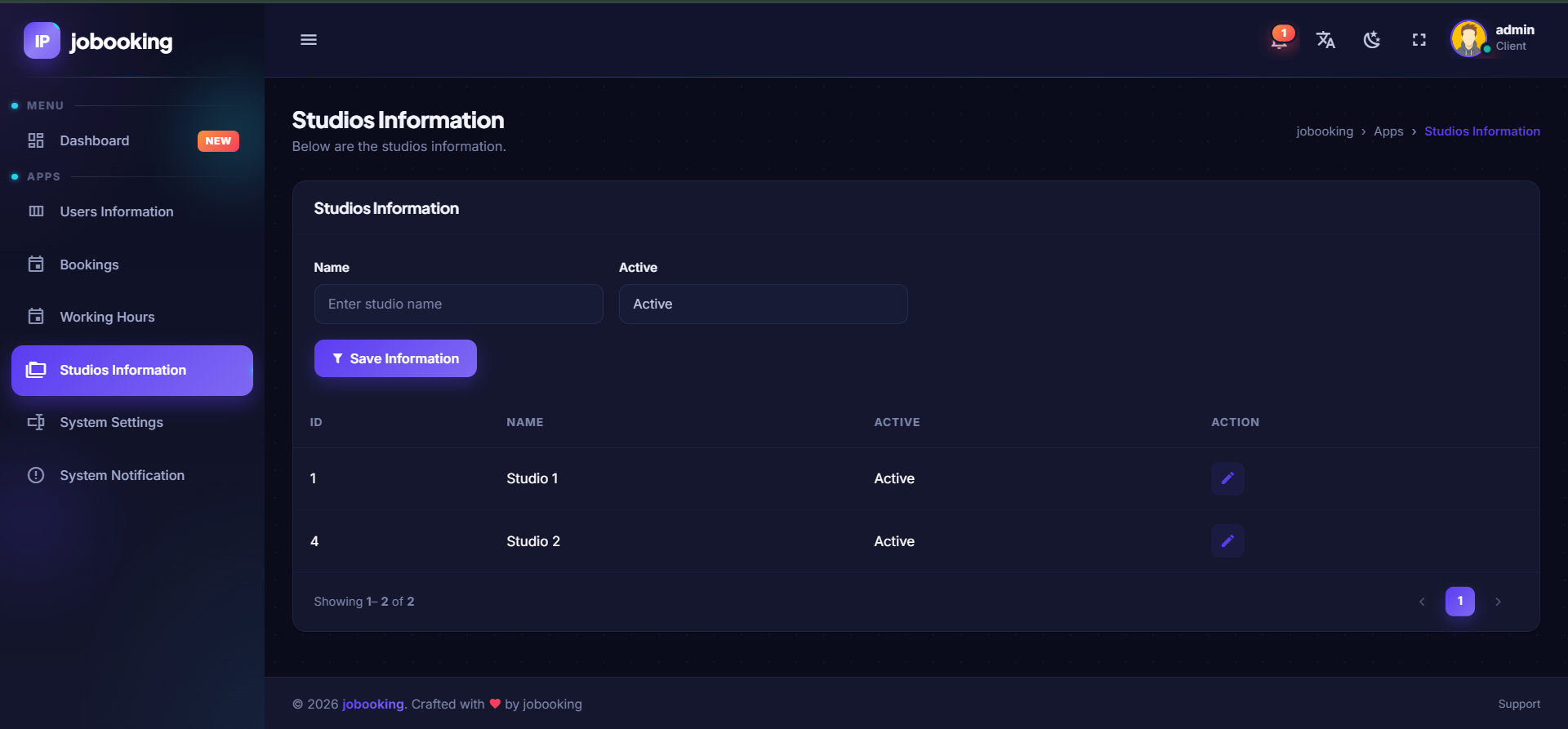
The Studios Information section allows administrators to manage the recording studios available for booking. Administrators can maintain information about the available studios and use this information when managing and assigning recording sessions. This is particularly useful for organizations operating multiple recording rooms or studios with different availability, schedules, or configurations.
Working Hours Management
Administrators can manage the working hours and availability used by the booking system. This helps establish a structured scheduling environment and allows studio reservations to be organized according to the operating requirements of the organization.
System Settings
The System Settings section provides centralized control over configurable aspects of the platform. Keeping system configuration in one place allows administrators to manage the platform according to the organization's operational requirements without modifying the underlying application.
System Notifications
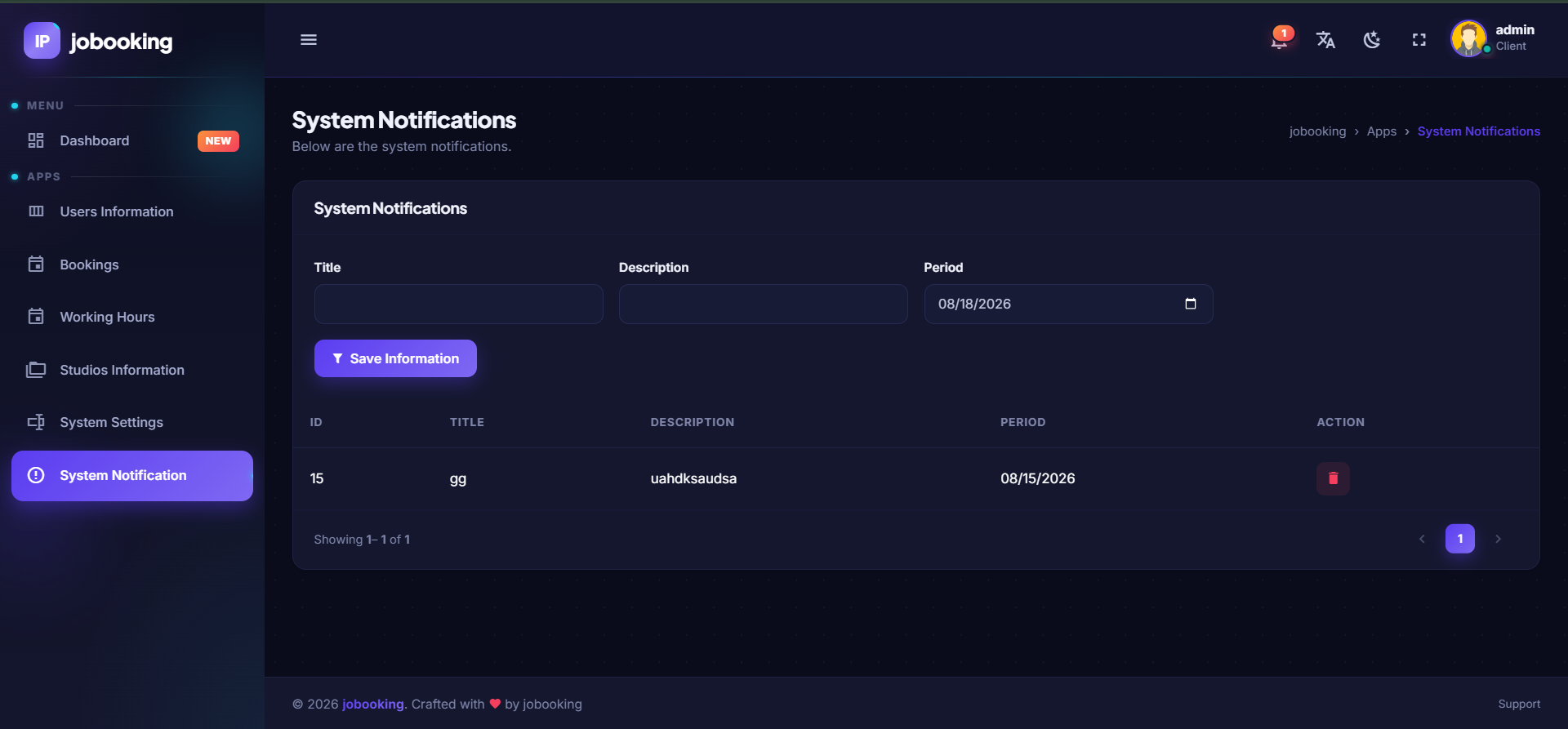
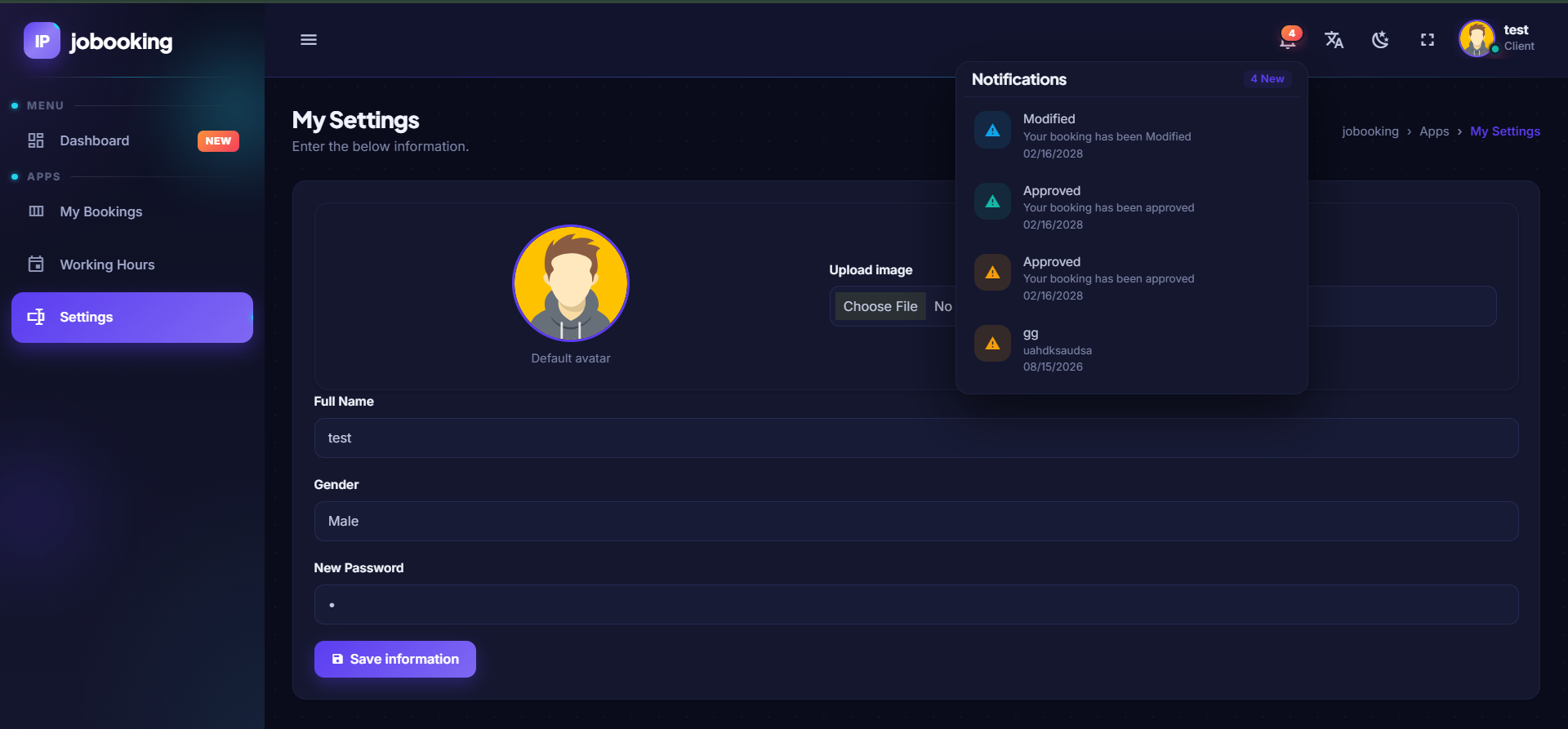
The System Notification functionality provides a centralized way of communicating important information to users of the platform. Notifications can be used to keep teachers informed about relevant system activity, booking updates, or other information that administrators need to communicate.
A Complete Booking Workflow
The system brings the complete studio scheduling process into one platform:
Teacher → Booking Request → Administrative Review → Approval / Rejection / Modification → Scheduled Recording Session
This structured workflow helps eliminate unnecessary manual coordination and provides both teachers and administrators with a clear understanding of the current status of every booking.
Built for Educational Organizations
The platform is particularly suited for e-learning companies, educational institutions, training organizations, online academies, and content-production teams that require a structured process for managing teacher studio reservations. By centralizing teachers, studios, working hours, bookings, notifications, and administrative controls, the system provides an organized foundation for managing the production side of educational video content.
Key Benefits
- Centralized Management — All teachers, studios, schedules, and bookings are managed through one platform.
- Clear Booking Status — Teachers and administrators can easily identify pending, approved, rejected, modified, and upcoming bookings.
- Reduced Scheduling Conflicts — Working hours and studio availability can be managed centrally to support more organized scheduling.
- Administrative Control — Administrators have complete visibility over booking activity and studio management.
- Better Organization — Eliminates the need to depend on spreadsheets, scattered messages, or manual booking records.
- Scalable Architecture — The platform can be extended with additional functionality as the educational organization grows.
A Smarter Way to Manage Studio Scheduling
The Teacher Studio Booking Management System provides a practical solution for organizations producing educational content at scale. By bringing teachers, recording studios, working hours, booking requests, approvals, and administrative management together in one web-based platform, the system creates a more organized and transparent process for managing studio time.
DynamicX.Codes — Custom software solutions designed around the real operational needs of modern businesses and educational organizations.